# Image templates
Create reusable templates to make image generation easy.
[Open Dashboard](https://htmlcsstoimage.com/dashboard)
## What are templates?
A template defines reusable image markup with **variables** that are replaced when an image is created.
You can create templates by sending HTML and CSS to the API, or by building a template visually in the [Template Editor](/template-editor/). Templates created in the editor are still rendered through the same template API.
If you are building templates visually, start with the [Template Editor Quick Start](/template-editor/quick-start/). For API-only templates, continue below.
### Handlebars variables
Templates support [Handlebars](https://handlebarsjs.com/) variables. Add `{{title_text}}` to your HTML, then pass a value for `title_text` when creating the image.
### Common use cases
* Define a reusable template, then pass variables to it to generate unique images.
* Use the [Template Editor](/template-editor/) to build a reusable image from blocks instead of writing all of the HTML and CSS by hand.
* Create images using signed URLs in a `GET` request.
* Generate social sharing images, such as `og:image` or `twitter:image`. For an existing website or CMS, an [OG Image Config](/getting-started/og-images/) can populate the template from each page’s metadata.
### Example
This image was generated with a template.
```json
{
"text": "With templates, you can use variables to replace parts of your image.",
"avatar_url": "https://avataaars.io/?avatarStyle=Transparent&topType=ShortHairDreads01&accessoriesType=Round&hairColor=BrownDark&facialHairType=BeardLight&facialHairColor=BrownDark&clotheType=BlazerShirt&eyeType=Happy&eyebrowType=DefaultNatural&mouthType=Eating&skinColor=Brown",
"name": "Freddy",
"username": "@freddy"
}
```
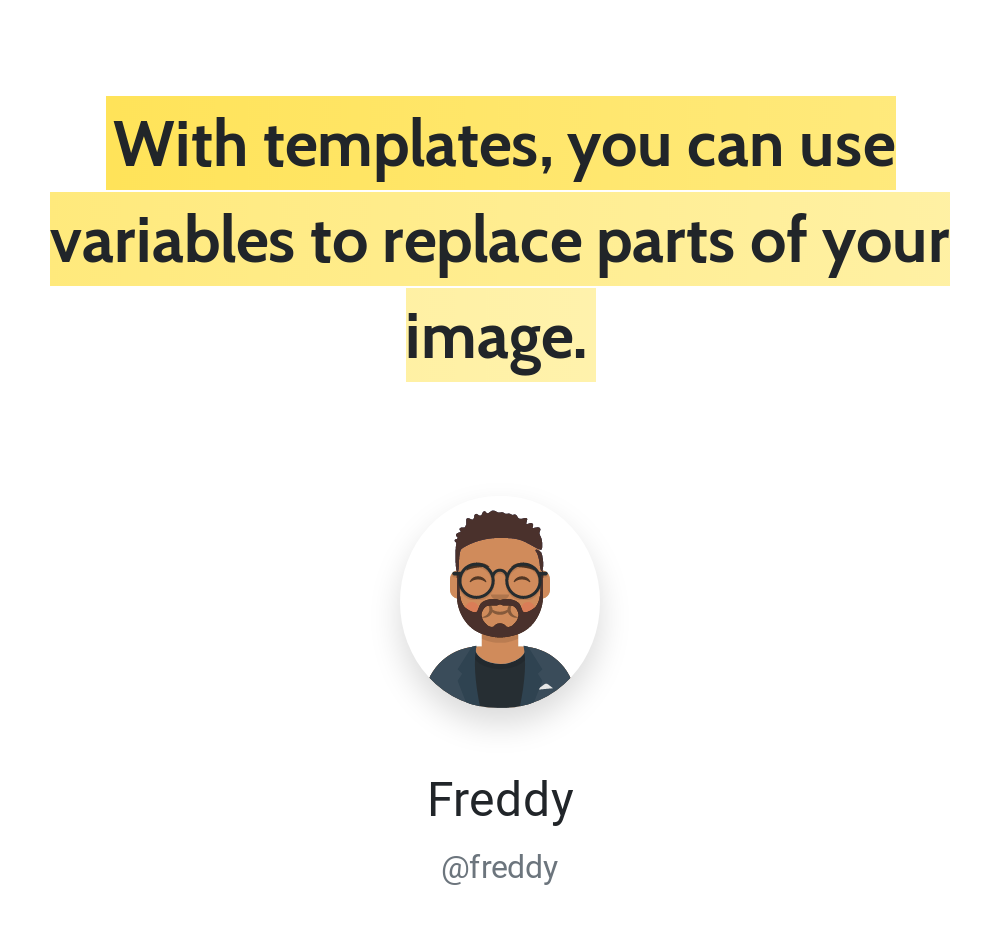
The HTML below uses Bootstrap utility classes; include the corresponding stylesheet in your template to reproduce the styling.
```html
```
## Creating a template
Requires [`templates:create_update`](/getting-started/using-the-api/permissions/).
To generate a template, make an HTTP request to the API.
`POST https://hcti.io/v1/template`
### Parameters
Send the following parameters as JSON or form data.
| Name | Type | Description |
| --- | --- | --- |
| `html` (required) | `String` | HTML to render: a snippet (`Your content
`) or an entire webpage. |
| `css` | `String` | The CSS for your image. |
| `name` | `String` | A short name to identify your template `max length 64` |
| `description` | `String` | Description to elaborate on the use of your template `max length 1024` |
Required parameters
`html` is required. `css`, `name`, and `description` are optional.
### Additional parameters
Optional parameters for greater control over your image.
| Name | Type | Description |
| --- | --- | --- |
| [`color_scheme`](/parameters/color_scheme/) | `String` | Set Chrome to render in `light` or `dark` mode. Affects websites using `prefers-color-scheme`. |
| [`device_scale`](/parameters/device_scale/) | `Double` | Control resolution by adjusting the pixel ratio from `0.1` to `3`. Higher values increase image quality and file size. |
| [`disable_twemoji`](/guides/debugging/emoji/#disabling-twemoji) | `Boolean` | Set to `true` to use native emoji fonts instead of Twemoji. |
| [`google_fonts`](/parameters/google_fonts/) | `String` | Load one or more Google fonts, such as `Roboto\|Open Sans`. |
| [`jumbo_max_height`](/guides/advanced/jumbo-images/) | `Integer` | Maximum output height in jumbo mode, up to `80,000` pixels. Must be set with `jumbo_max_width` and consumes additional image credits. |
| [`jumbo_max_width`](/guides/advanced/jumbo-images/) | `Integer` | Maximum output width in jumbo mode, up to `80,000` pixels. Must be set with `jumbo_max_height` and consumes additional image credits. |
| [`max_wait_ms`](/parameters/max_wait_ms/) | `Integer` | Set a maximum time limit from `500` to `10000` milliseconds for waiting before taking the screenshot. |
| [`media_type`](/parameters/media_type/) | `String` | Set Chrome to render using `screen` or `print` CSS media styles. |
| [`ms_delay`](/parameters/ms_delay/) | `Integer` | Delay before generating the image. Useful when waiting for JavaScript; start with `500` milliseconds. |
| [`proxy_id`](/parameters/proxy_id/) | `String` | Route outbound traffic through one of your organization's configured HTTP proxies. Available on the 10,000 images/month plan or higher. |
| [`render_when_ready`](/parameters/render_when_ready/) | `Boolean` | Wait to generate the image until JavaScript calls `ScreenshotReady()`. |
| [`storage_destination_id`](/parameters/storage_destination_id/) | `String` | Save rendered files to one of your organization's configured storage destinations. Available on the 10,000 images/month plan or higher. |
| [`timezone`](/parameters/timezone/) | `String` | Set Chrome's timezone with an IANA identifier such as `America/New_York`. |
| [`transparent_background`](/parameters/transparent_background/) | `Boolean` | Set to `true` to render with a transparent background. |
| [`viewport_height`](/parameters/viewport/#viewport-width-and-height) | `Integer` | Set the height of Chrome's viewport. Both dimensions must be set when using either. |
| [`viewport_landscape`](/parameters/viewport/#viewport-landscape) | `Boolean` | Set Chrome's viewport to landscape mode. |
| [`viewport_mobile`](/parameters/viewport/#viewport-mobile) | `Boolean` | Set Chrome's viewport to emulate a mobile device. |
| [`viewport_touch`](/parameters/viewport/#viewport-touch) | `Boolean` | Set Chrome's viewport to support touch events. |
| [`viewport_width`](/parameters/viewport/#viewport-width-and-height) | `Integer` | Set the width of Chrome's viewport. Both dimensions must be set when using either. |
### Example responses
```plaintext
STATUS: 201 CREATED
```
```json
{
"template_id": "t-b0354248-e7f6-4cca-81c6-2b4a70a16388",
"template_version": 1594409399761
}
```
```plaintext
STATUS: 400 BAD REQUEST
```
```json
{
"error": "Bad Request",
"statusCode": 400,
"message": "HTML is Required"
}
```
```plaintext
STATUS: 429 TOO MANY REQUESTS
```
```json
{
"error": "Plan limit exceeded",
"statusCode": 429,
"message": "The tryit plan is limited to 5 templates"
}
```
Plan limits
Free plans can create 5 templates. Paid plans can create 1,000. You can edit your existing templates an unlimited number of times.
## Editing a template
Requires [`templates:create_update`](/getting-started/using-the-api/permissions/).
To edit an existing template, send a request with the `template_id` returned when you created it.
`POST https://hcti.io/v1/template/:template_id`
### Parameters
Send the following parameters as JSON or form data.
| Name | Type | Description |
| --- | --- | --- |
| `html` (required) | `String` | HTML to render: a snippet (`Your content
`) or an entire webpage. |
| `css` | `String` | The CSS for your image. |
| `name` | `String` | A short name to identify your template `max length 64` |
| `description` | `String` | Description to elaborate on the use of your template `max length 1024` |
Required parameters
Send the template’s `html` in your update. `css`, `name`, and `description` are optional.
### Additional parameters
Optional parameters for greater control over your image.
| Name | Type | Description |
| --- | --- | --- |
| [`color_scheme`](/parameters/color_scheme/) | `String` | Set Chrome to render in `light` or `dark` mode. Affects websites using `prefers-color-scheme`. |
| [`device_scale`](/parameters/device_scale/) | `Double` | Control resolution by adjusting the pixel ratio from `0.1` to `3`. Higher values increase image quality and file size. |
| [`disable_twemoji`](/guides/debugging/emoji/#disabling-twemoji) | `Boolean` | Set to `true` to use native emoji fonts instead of Twemoji. |
| [`google_fonts`](/parameters/google_fonts/) | `String` | Load one or more Google fonts, such as `Roboto\|Open Sans`. |
| [`jumbo_max_height`](/guides/advanced/jumbo-images/) | `Integer` | Maximum output height in jumbo mode, up to `80,000` pixels. Must be set with `jumbo_max_width` and consumes additional image credits. |
| [`jumbo_max_width`](/guides/advanced/jumbo-images/) | `Integer` | Maximum output width in jumbo mode, up to `80,000` pixels. Must be set with `jumbo_max_height` and consumes additional image credits. |
| [`max_wait_ms`](/parameters/max_wait_ms/) | `Integer` | Set a maximum time limit from `500` to `10000` milliseconds for waiting before taking the screenshot. |
| [`media_type`](/parameters/media_type/) | `String` | Set Chrome to render using `screen` or `print` CSS media styles. |
| [`ms_delay`](/parameters/ms_delay/) | `Integer` | Delay before generating the image. Useful when waiting for JavaScript; start with `500` milliseconds. |
| [`proxy_id`](/parameters/proxy_id/) | `String` | Route outbound traffic through one of your organization's configured HTTP proxies. Available on the 10,000 images/month plan or higher. |
| [`render_when_ready`](/parameters/render_when_ready/) | `Boolean` | Wait to generate the image until JavaScript calls `ScreenshotReady()`. |
| [`storage_destination_id`](/parameters/storage_destination_id/) | `String` | Save rendered files to one of your organization's configured storage destinations. Available on the 10,000 images/month plan or higher. |
| [`timezone`](/parameters/timezone/) | `String` | Set Chrome's timezone with an IANA identifier such as `America/New_York`. |
| [`transparent_background`](/parameters/transparent_background/) | `Boolean` | Set to `true` to render with a transparent background. |
| [`viewport_height`](/parameters/viewport/#viewport-width-and-height) | `Integer` | Set the height of Chrome's viewport. Both dimensions must be set when using either. |
| [`viewport_landscape`](/parameters/viewport/#viewport-landscape) | `Boolean` | Set Chrome's viewport to landscape mode. |
| [`viewport_mobile`](/parameters/viewport/#viewport-mobile) | `Boolean` | Set Chrome's viewport to emulate a mobile device. |
| [`viewport_touch`](/parameters/viewport/#viewport-touch) | `Boolean` | Set Chrome's viewport to support touch events. |
| [`viewport_width`](/parameters/viewport/#viewport-width-and-height) | `Integer` | Set the width of Chrome's viewport. Both dimensions must be set when using either. |
## Creating an image with a template
Requires [`images:create`](/getting-started/using-the-api/permissions/).
To generate a templated image, send a request using the `template_id` from the [create response](#example-responses).
`POST https://hcti.io/v1/image/:template_id`
You can also generate a templated image with a signed `GET` URL that renders on demand. See [Creating a templated image URL](/getting-started/create-and-render/#creating-a-templated-image-url).
To use one template for automatic social cards across an existing site, select it in an [OG Image Config](/getting-started/og-images/#template-values). HCTI can map page titles, descriptions, Open Graph metadata, and explicit `html:tv:` values to its variables.
Template versions
Rendering a `template_id` uses its latest version. To pin a version, send your request to `https://hcti.io/v1/image/:template_id/:template_version`.
### Parameters
Send the following parameters as JSON or form data. When using form data, JSON-encode `template_values` as a string.
| Name | Type | Description |
| --- | --- | --- |
| `template_values` (required) | `JSON` | Values for the variables in your template. For editor templates, see the [Variables guide](/template-editor/variables/). |
## Listing your templates
Requires [`templates:read`](/getting-started/using-the-api/permissions/).
List your templates with an authenticated GET request.
`GET https://hcti.io/v1/template`
### Example responses
```plaintext
STATUS: 200 OK
```
```json
{
"data": [
{
"css": null,
"created_at": "2020-07-19T17:16:43.987+00:00",
"description": null,
"device_scale": 2.0,
"google_fonts": null,
"html": " ",
"id": "t-5ff7b966-d32c-4143-bda3-57a440e97a80",
"max_wait_ms": null,
"ms_delay": 1500,
"name": null,
"render_when_ready": null,
"render_count": 142,
"storage_destination_id": "your-storage-destination-id",
"color_scheme": null,
"timezone": null,
"updated_at": "2020-07-19T17:16:43.987+00:00",
"version": 1595179003987,
"viewport_height": null,
"viewport_width": null
}
],
"pagination": {
"next_page_start": null
}
}
```
### Response fields
| Field | Type | Description |
| --- | --- | --- |
| `render_count` | `Integer` | Number of times this template has been used to generate images. |
| `storage_destination_id` | `String` or `null` | Storage destination inherited by images created from this template. |
| `color_scheme` | `String` | Light or dark mode setting, if configured. |
| `timezone` | `String` | Timezone setting, if configured. |
## Listing your template versions
Requires [`templates:read`](/getting-started/using-the-api/permissions/).
List a template’s versions with an authenticated GET request.
`GET https://hcti.io/v1/template/:template_id`
### Example responses
```plaintext
STATUS: 200 OK
```
```json
{
"data": [
{
"css": null,
"created_at": "2020-07-19T17:16:43.987+00:00",
"description": null,
"device_scale": 2.0,
"google_fonts": null,
"html": " ",
"id": "t-5ff7b966-d32c-4143-bda3-57a440e97a80",
"max_wait_ms": null,
"ms_delay": 1500,
"name": null,
"render_when_ready": null,
"render_count": 142,
"storage_destination_id": "your-storage-destination-id",
"color_scheme": null,
"timezone": null,
"updated_at": "2020-07-19T17:16:43.987+00:00",
"version": 1595179003987,
"viewport_height": null,
"viewport_width": null
}
],
"pagination": {
"next_page_start": null
}
}
```
Deleting a template through the API requires `templates:delete`. See the [interactive API reference](https://htmlcsstoimage.com/api-docs) for endpoint schemas. Rendering a known template ID uses `images:create`; discovering templates first requires `templates:read`.
## Need help?
Talk to a human. Email [support@htmlcsstoimage.com](mailto:support@htmlcsstoimage.com) and we’ll help you get started.