
Rich Text
Use Rich Text for varied typography, inline styling, or Handlebars composition. Choose Rich Text Box in the left sidebar, then double-click the block to edit text directly.
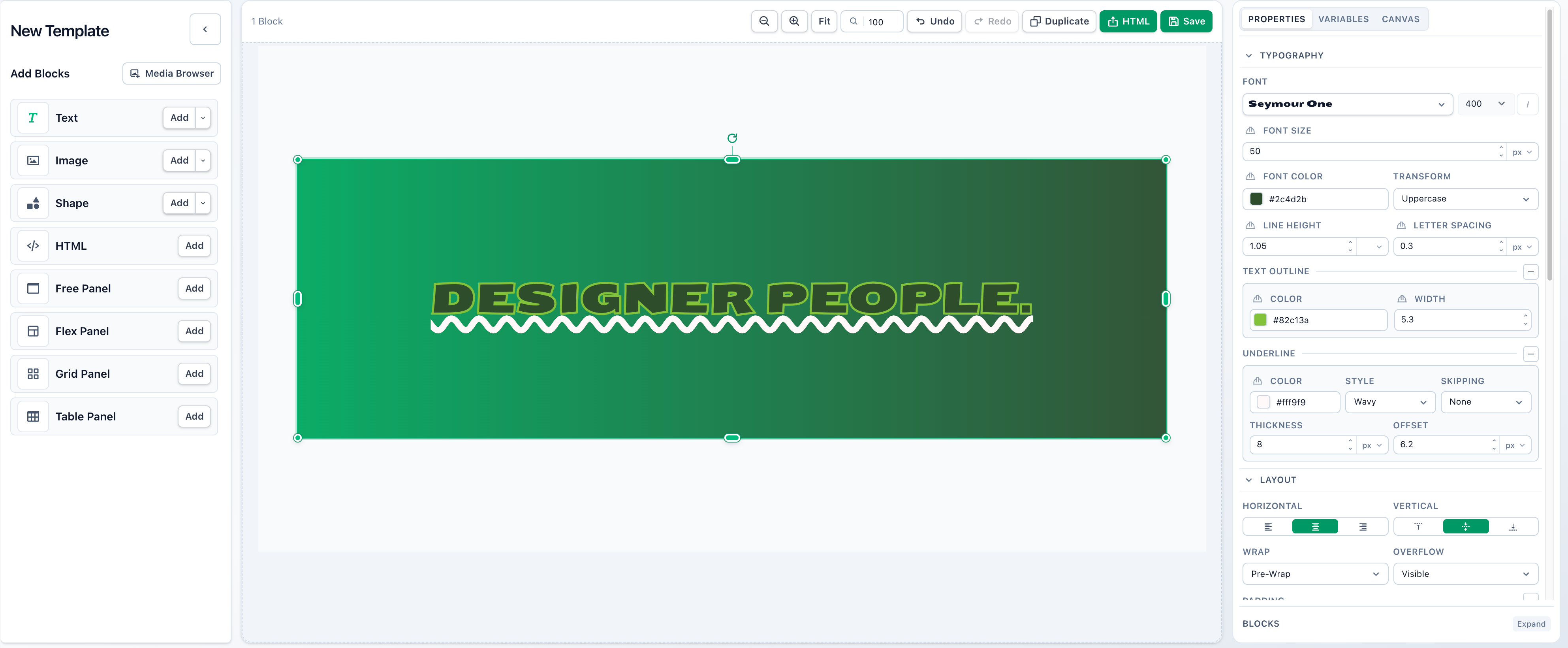
Select any word, line, letter, or range and use the inline toolbar to style that selection. The right sidebar applies a property across the whole block, replacing per-selection differences for that property.
Toolbar controls show mixed when a selection has multiple values. Choosing a value applies it to the current selection.
Common properties
Most blocks share these controls in the right sidebar. Selecting a child also shows controls for its parent layout.
| Property | Details |
|---|---|
| Size | Width can be fixed, percentage-based, or automatic. Height can be fixed, flexible, or constrained by minimum and maximum values. Lock the aspect ratio to preserve proportions. Size values support variables. |
| Arrange | X and Y position blocks on the canvas or inside Free Panels, using fixed values or percentage anchors. Alignment controls place blocks at common positions. Rotate, flip, lock, or change the layer order. |
| Background | Choose a solid color, a linear, radial, or conic gradient, or a pattern. Colors support variables. Gradient stops have colors and positions and are sorted by position; linear and conic gradients also have an angle. Pattern colors and size support variables, with controls varying by pattern. |
| Border | Simple mode shares color, thickness, style, and radius across all sides. Advanced mode sets each side's color, thickness, and style and each corner's radius independently. |
| Shadow | Add layers of regular shadow, inner shadow, or glow, subject to the block-specific limits below. |
Canvas and block backgrounds are separate: transparent areas reveal the parent or canvas. Patterns are based on CSS Pattern. See Sizing and positioning for sizing modes and position anchors.
Text blocks support drop shadows and glow, without inner shadows or spread.
Block-specific properties
Section titled “Block-specific properties”| Property | Details | Variables |
|---|---|---|
| Opacity | Transparency of the whole block, including content and styling. | Yes |
| Font | Font family, weight, and italic style. | — |
| Font size | Size of the selected text or whole block. | Yes |
| Font color | Color of the selected text or whole block. | Yes |
| Line height | Space between lines. | Yes |
| Letter spacing | Space between letters. | Yes |
| Horizontal align | How lines align inside the block. | — |
| Vertical align | How text sits inside the block. | — |
| Wrap | How text wraps across lines. | — |
| Overflow | Behavior when text is larger than the block. | — |
| Underline | Style and color for selected text or the whole block. | Yes |
| Text outline | Stroke around text. | Yes |
| Transform | Text casing. | — |
| Padding | Space inside the block edge. Simple mode sets all sides; Advanced mode sets each side. | — |
Templated content
Rich Text supports Handlebars variables, loops, conditionals, and repeated content inside one text block.
Many properties can use variables to assign their value when each image is created. Variables can be required, ignored, or given a fallback value. Pass values in template_values when rendering the template.