
Screenshots
Capture any public webpage as a high-quality image.
Overview
Section titled “Overview”The HTML/CSS to Image API can capture screenshots of any publicly accessible URL. Pass a URL to the API, and get back a pixel-perfect screenshot rendered in a real instance of Google Chrome.
Basic usage
Section titled “Basic usage”curl -X POST https://hcti.io/v1/image -u 'UserID:APIKey' \ --data-urlencode url="https://stripe.com"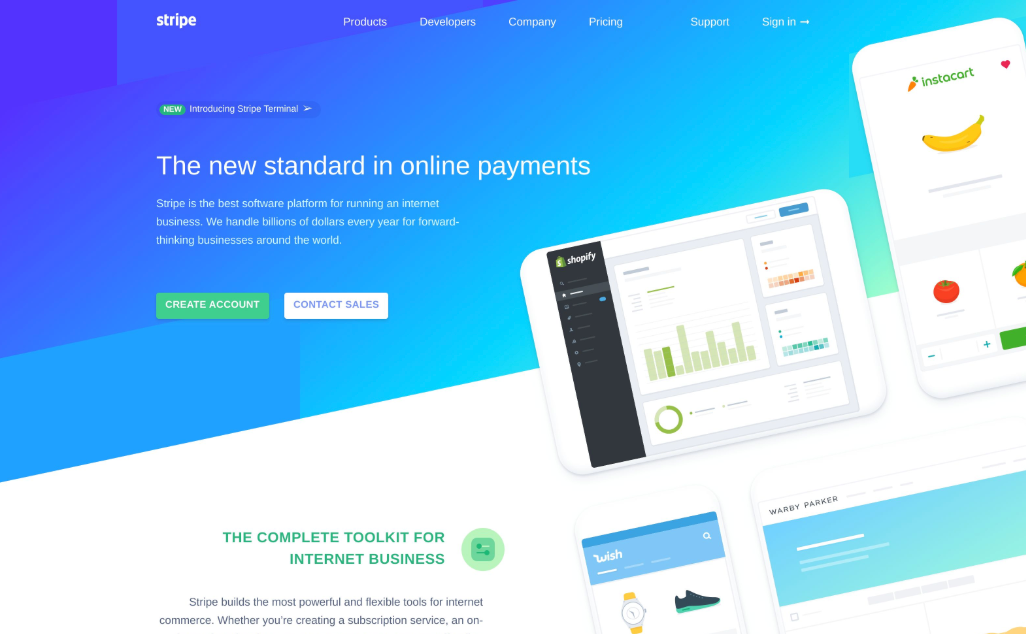
Common use cases
Section titled “Common use cases”Website archival
Section titled “Website archival”Capture and preserve webpage snapshots for compliance, legal, or historical purposes.
Link previews
Section titled “Link previews”Generate preview images for links shared in your application, similar to how Slack or Twitter shows link previews.
Competitive monitoring
Section titled “Competitive monitoring”Automatically capture competitor websites to track design changes over time.
Documentation
Section titled “Documentation”Generate up-to-date screenshots for product documentation and tutorials.
Testing and QA
Section titled “Testing and QA”Capture screenshots during automated testing to verify UI changes.
Capture specific elements
Section titled “Capture specific elements”Use the selector parameter to capture just a portion of a page:
curl -X POST https://hcti.io/v1/image -u 'UserID:APIKey' \ --data-urlencode url="https://stripe.com" \ --data-urlencode selector="section#complete-toolkit"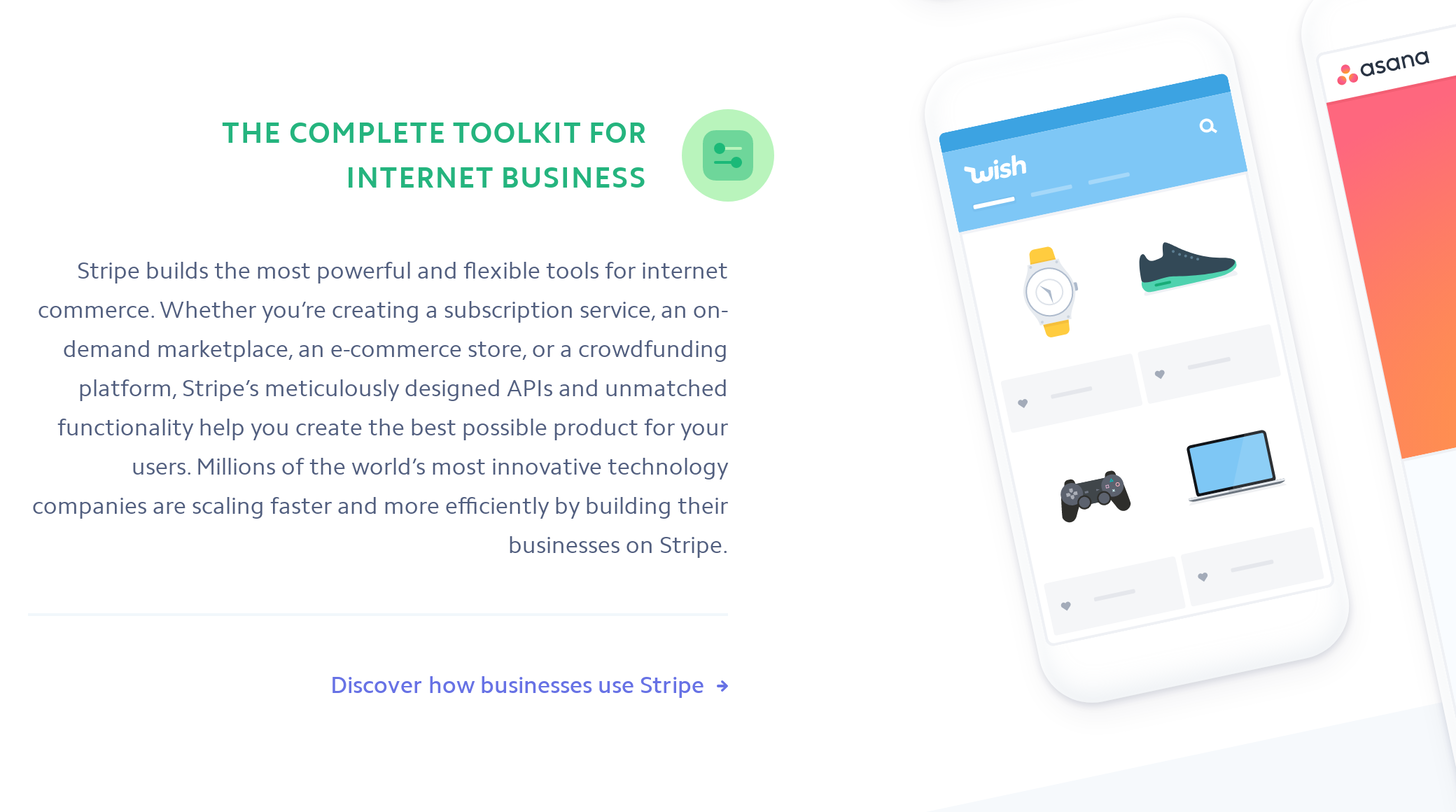
Full-page screenshots
Section titled “Full-page screenshots”Capture the entire scrollable length of a page:
curl -X POST https://hcti.io/v1/image -u 'UserID:APIKey' \ --data-urlencode url="https://example.com/long-page" \ --data full_screen=trueHide cookie banners
Section titled “Hide cookie banners”Many websites display consent popups. Use block_consent_banners to hide them:
curl -X POST https://hcti.io/v1/image -u 'UserID:APIKey' \ --data-urlencode url="https://example.com" \ --data block_consent_banners=trueLearn more about blocking cookie banners
High-resolution screenshots
Section titled “High-resolution screenshots”Set device_scale to 2 for retina-quality images:
curl -X POST https://hcti.io/v1/image -u 'UserID:APIKey' \ --data-urlencode url="https://example.com" \ --data device_scale=2Control the viewport
Section titled “Control the viewport”Set a specific viewport size for your screenshots:
curl -X POST https://hcti.io/v1/image -u 'UserID:APIKey' \ --data-urlencode url="https://example.com" \ --data viewport_width=1920 \ --data viewport_height=1080Wait for JavaScript
Section titled “Wait for JavaScript”If the page needs time to fully render (e.g., charts, animations), add a delay:
curl -X POST https://hcti.io/v1/image -u 'UserID:APIKey' \ --data-urlencode url="https://example.com" \ --data ms_delay=1000Inject custom CSS
Section titled “Inject custom CSS”Modify the appearance of the page before capturing:
curl -X POST https://hcti.io/v1/image -u 'UserID:APIKey' \ --data-urlencode url="https://example.com" \ --data-urlencode css=".banner { display: none; } body { background: white; }"Social media screenshots
Section titled “Social media screenshots”We have dedicated guides for capturing content from popular platforms:
Limitations
Section titled “Limitations”- The hosted renderer must be able to reach the URL; local addresses such as
localhostare not accessible. - For protected pages you control, use custom request headers or a configured proxy. An interactive login flow is not performed automatically.
- Some sites may block automated access
Need help?
Talk to a human. Email support@htmlcsstoimage.com and we’ll help you get started.