
selector
Precisely capture specific elements from your webpage
How it works
Section titled “How it works”The selector parameter allows you to capture specific elements from a webpage by providing a CSS selector. The API will automatically crop the image to match the dimensions of the selected element.
Example usage
Section titled “Example usage”HTML example
Section titled “HTML example”Consider this HTML structure:
<div class="margin"> <div class="content"> This is an example </div></div>To capture only the inner content div, set the selector parameter:
{ "html": "<div class=\"margin\">...</div>", "selector": ".content"}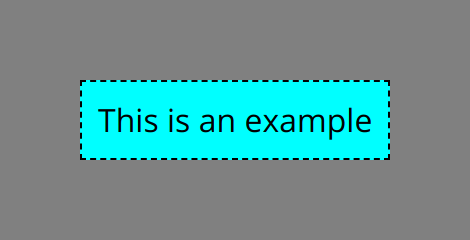
Common selector types
Section titled “Common selector types”Class selectors
Section titled “Class selectors”To select elements by class name:
<!-- HTML --><div class="profile-card">...</div>
<!-- Selector -->.profile-card
ID selectors
Section titled “ID selectors”To select a unique element by ID:
<!-- HTML --><div id="header">...</div>
<!-- Selector -->#header
Nested selectors
Section titled “Nested selectors”To select nested elements:
<!-- HTML --><div class="container">  <section class="content">    <article class="post">...</article>  </section></div>
<!-- Selector -->.container .content .post
Multiple classes
Section titled “Multiple classes”To select elements with multiple classes:
<!-- HTML --><div class="card premium featured">...</div>
<!-- Selector -->.card.premium.featured
Advanced selectors
Section titled “Advanced selectors”For more complex selections, you can use:
| Selector | Example | Description |
|---|---|---|
| Child | parent > child |
Selects direct children only |
| Nth Child | div:nth-child(2) |
Selects specific child elements |
| Attribute | [data-type="premium"] |
Selects elements with specific attributes |
| Combinators | header + .content |
Selects elements that follow others |
Best practices
Section titled “Best practices”- Be Specific: Use precise selectors to ensure you capture exactly what you need
- Test First: Verify your selector works in the browser before using it in the API
- Consider Dynamic Content: Allow time for JavaScript-rendered content using
ms_delayif needed - Unique Identifiers: When possible, use IDs for more reliable selection
Common issues and solutions
Section titled “Common issues and solutions”Element not found
Section titled “Element not found”If your selector doesn’t match any elements, try:
- Verifying the selector syntax
- Ensuring dynamic content has loaded (use
ms_delay) - Checking for typos in class/ID names
Wrong element selected
Section titled “Wrong element selected”If the wrong element is captured:
- Make your selector more specific
- Use unique identifiers when possible
- Check for duplicates