
google_fonts
Load and use any Google Font in your generated images.
How it works
Section titled “How it works”The google_fonts parameter loads the named fonts for your render. Reference those fonts in your CSS with font-family. Separate multiple font names with |, and specify weights when needed.
Parameter details
Section titled “Parameter details”| Name | Type | Required | Description |
|---|---|---|---|
google_fonts |
String |
No | The names of Google Fonts to load, separated by | for multiple fonts |
Example usage
Section titled “Example usage”Single font
Section titled “Single font”{ "google_fonts": "Roboto", "html": "<div class='text'>Hello World</div>", "css": ".text { font-family: 'Roboto', sans-serif; }"}Multiple fonts
Section titled “Multiple fonts”{ "google_fonts": "Open Sans|Roboto|Montserrat", "html": "<div class='heading'>Title</div><div class='body'>Content</div>", "css": ".heading { font-family: 'Montserrat', sans-serif; } .body { font-family: 'Open Sans', sans-serif; }"}Font weights and styles
Section titled “Font weights and styles”Specifying font weights
Section titled “Specifying font weights”Google Fonts supports multiple weights for each font. You can specify which weights to load by including them in the google_fonts parameter.
Explicit loading: Specify the weight in the google_fonts parameter:
{ "google_fonts": "Roboto:300,400,700", "html": "<div class='text'>Hello World</div>", "css": ".text { font-family: 'Roboto', sans-serif; font-weight: 700; }"}Common font weights:
- 300: Light
- 400: Regular (default)
- 500: Medium
- 700: Bold
- 900: Black
Debugging font weights
Section titled “Debugging font weights”If your font weights aren’t appearing correctly, try these steps:
-
Verify available weights: Check Google Fonts to ensure the weight exists for your font
{"google_fonts": "Roboto:300,400,700","html": "<div class='debug'>Weight Test</div>","css": ".debug { font-family: 'Roboto'; font-weight: 700; }"} -
Force weight loading: Explicitly specify weights in the google_fonts parameter
{"google_fonts": "Roboto:700","html": "<div class='bold'>Bold Text</div>","css": ".bold { font-family: 'Roboto'; font-weight: 700; }"} -
Check for FOUT: Add ms_delay if fonts aren’t loading in time
{"google_fonts": "Roboto:700","ms_delay": 500,"html": "<div class='bold'>Bold Text</div>","css": ".bold { font-family: 'Roboto'; font-weight: 700; }"}
Troubleshooting
Section titled “Troubleshooting”Flash of unstyled text (FOUT)
Section titled “Flash of unstyled text (FOUT)”If fonts aren’t rendering correctly, use the ms_delay parameter to allow time for font loading:
{ "google_fonts": "Roboto", "ms_delay": 500, "html": "<div class='text'>Hello World</div>", "css": ".text { font-family: 'Roboto', sans-serif; }"}Start with ms_delay: 500 and increase if needed.
Common issues
Section titled “Common issues”- Font not appearing: Verify the font name matches exactly as shown on Google Fonts
- Wrong font weight: Ensure you’re using a weight that exists for the chosen font
- Incorrect quotes: Use single quotes in CSS:
font-family: 'Roboto', sans-serif;
Live example
Section titled “Live example”This example loads both Montserrat and Roboto fonts:
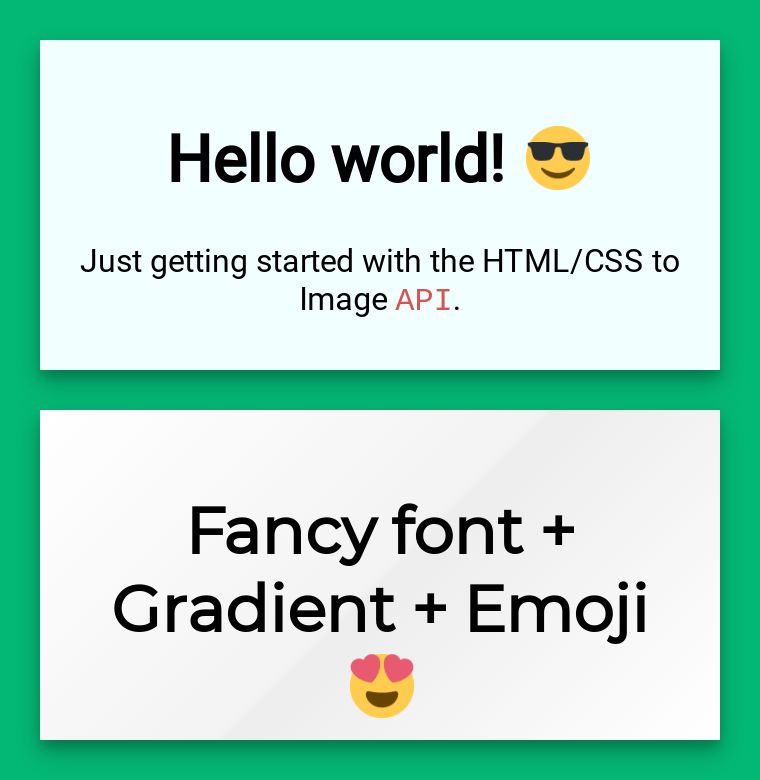
{ "google_fonts": "Montserrat|Roboto", "html": "<div class='text'>Hello World!</div>", "css": ".text { font-family: 'Montserrat'; }"}Alternative approaches
Section titled “Alternative approaches”If you need to use fonts not available on Google Fonts:
- Use a different web font service by including their CSS in your HTML
- Convert your font to base64 and include it directly in your CSS
- Host the font files yourself and reference them via URL
Need help?
Talk to a human. Email support@htmlcsstoimage.com and we’ll help you get started.